Crypto Technical Indicators
Professional-grade market intelligence in your hands. This workflow bridges the gap between raw exchange data and actionable AI insights by calculating 11+ industry-standard indicators instantly.
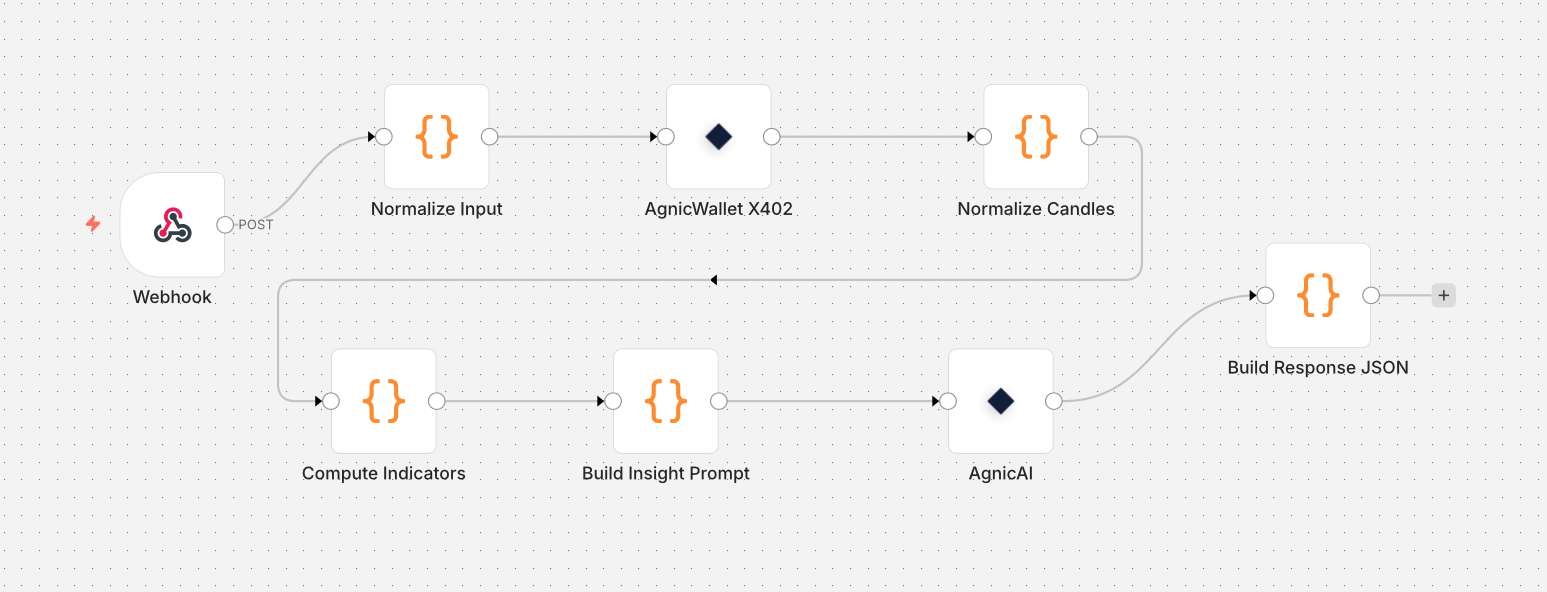
What it does
Designed for traders and developers who want more than just raw price data.
- Market Intelligence: Fetches high-fidelity candle data from Binance, Kraken, and more via AgnicPay's universal gateway.
- Deep Technicals: Automatically computes RSI, MACD, Bollinger Bands, ADX, STOCH, and more using an optimized JS engine.
- AI Analysis: GPT-4o processes the technical landscape to find support/resistance and trend strength.
- Interactive UI: Includes a production-ready HTML dashboard for real-time interaction.
How to use it
Plug and play with AgnicFlow:
- Import
workflow-v3 Agnic.jsoninto n8n. - Get your AgnicPay API key by creating a wallet at agnicpay.xyz.
- Set your API key either within the n8n workflow or directly in the UI dashboard (click the ⚙️ settings icon).
- Download and run the
form.htmldashboard locally. - Input any symbol (e.g., BTC/USDT) to generate a full technical report.
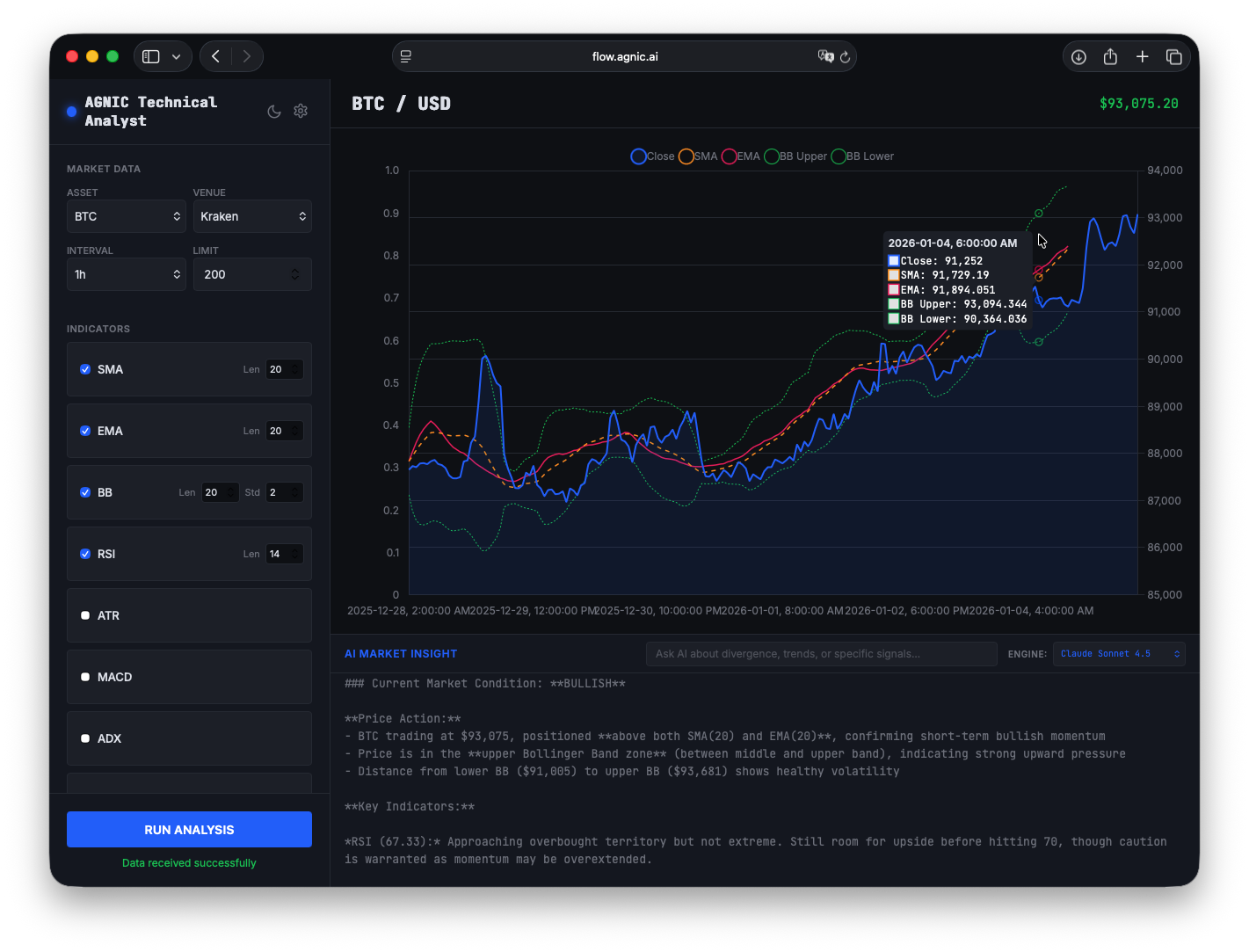
Start your technical analysis journey.
Download the workflow JSON and pair it with our custom indicator dashboard.
Download workflow-v3 Agnic.json